
Your first order
Connect a wallet, find a meal on the board, read its label, then place an order your wallet signs.

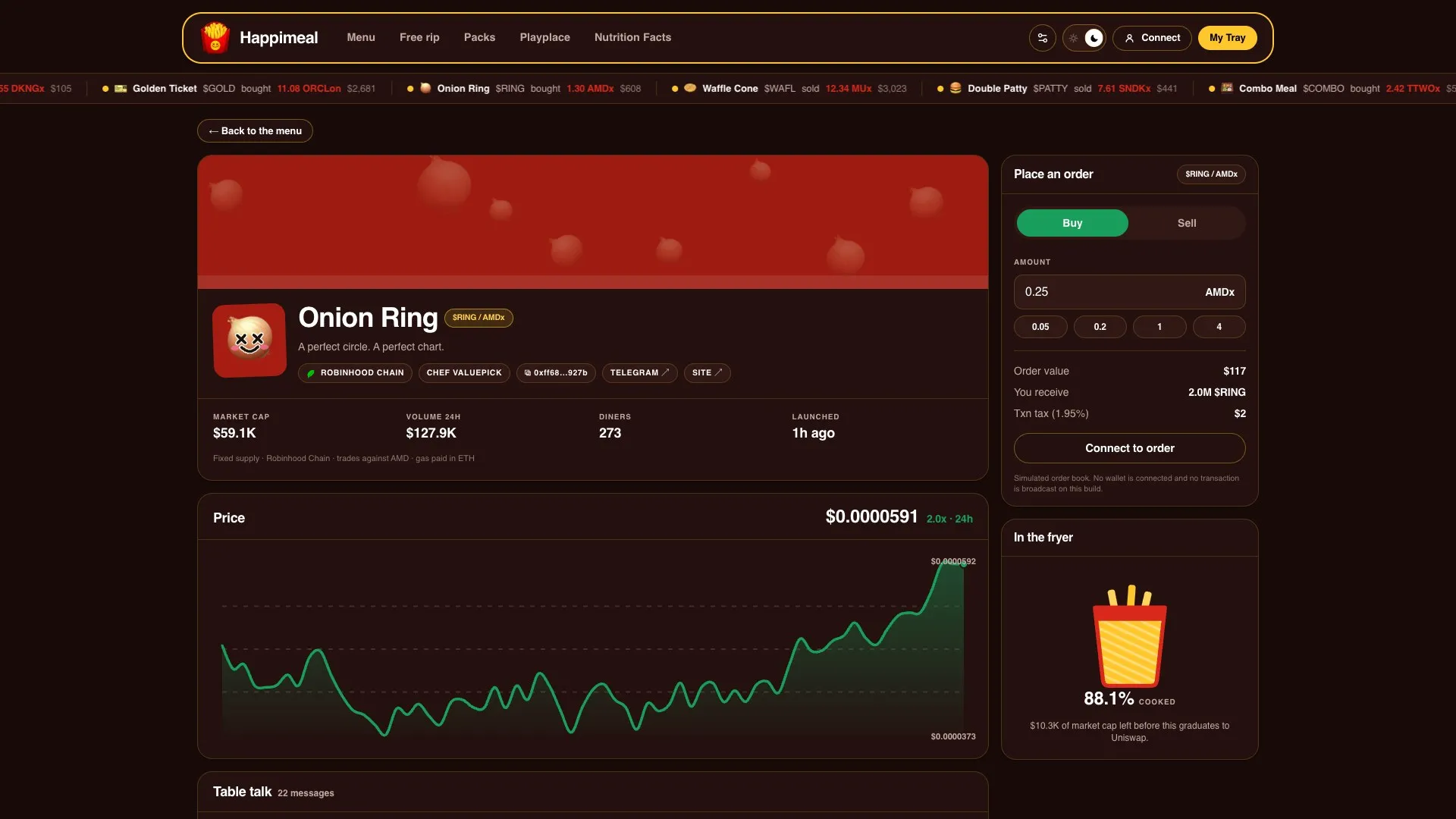
Place an order
Section titled “Place an order”-
Connect your wallet
Pick a network Happimeal runs on: see Networks.
-
Find a meal on the board
Sizzling shows the busiest, Fresh out the fryer the newest, Served the ones that have graduated. Filter by chain or search by name, ticker or creator.
-
Read the label
Every meal has a Nutrition Facts label: supply, allocations, fees and its liquidity policy. Read it before you order.
-
Place an order
Choose Buy or Sell and the amount in the meal’s quote asset. The order panel shows what you receive and the transaction tax before you sign.
-
Sign in your wallet
Nothing happens until you do.
In the fryer, or served
Section titled “In the fryer, or served”While a meal is in the fryer, you trade on its bonding curve. The fryer fills as the net quote raised moves toward the meal’s target. It can also empty: sells move it back.
Once it is served, the meal trades in its DEX pool on that network.